
The Country Column
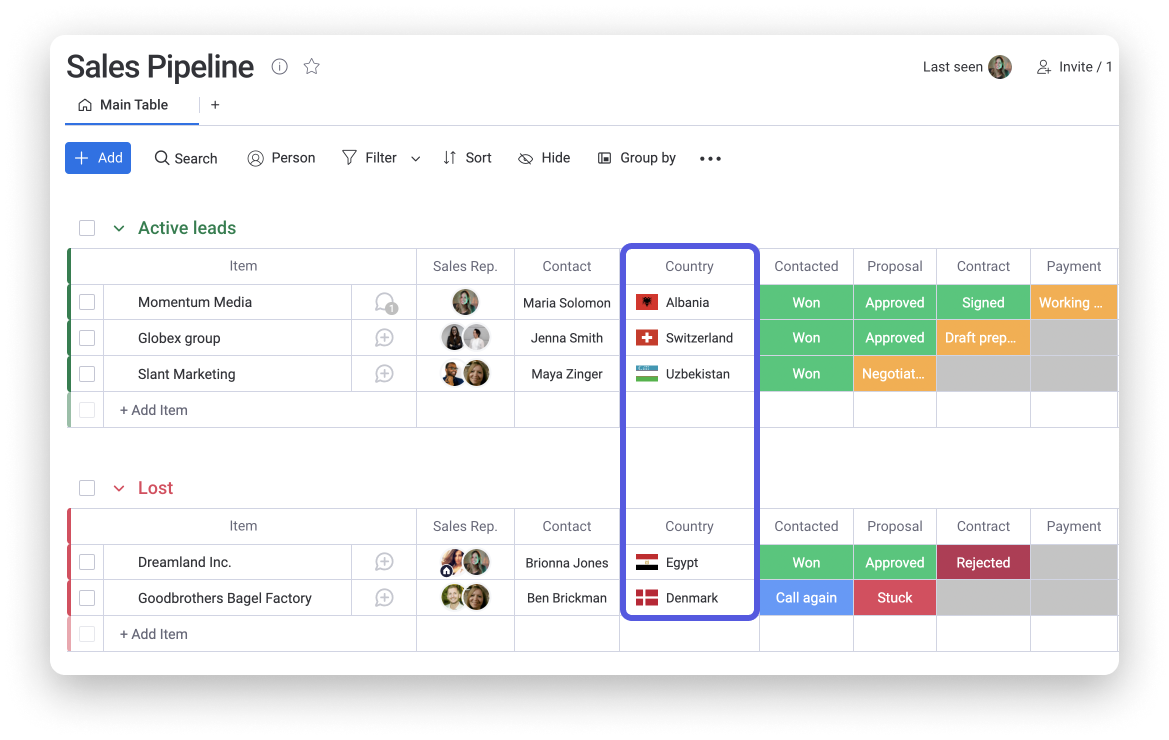
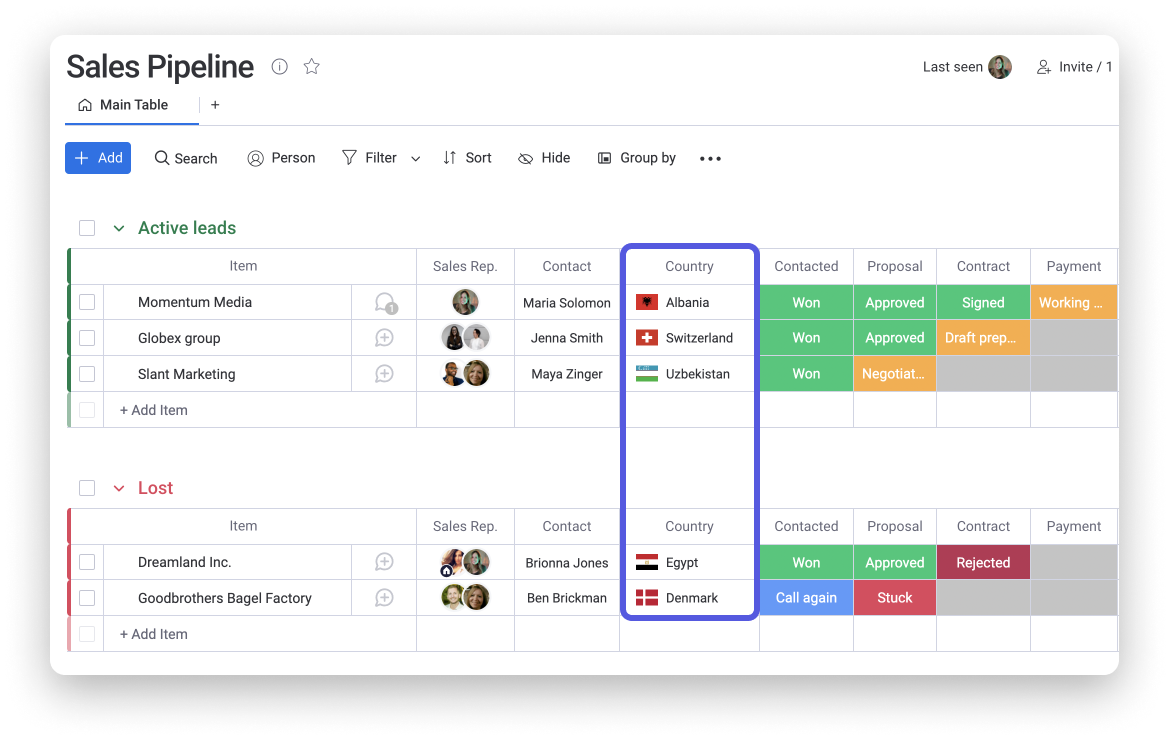
The Country Column will not only display the name of the country you choose, but also the flag associated to it! 🙌
How to add it
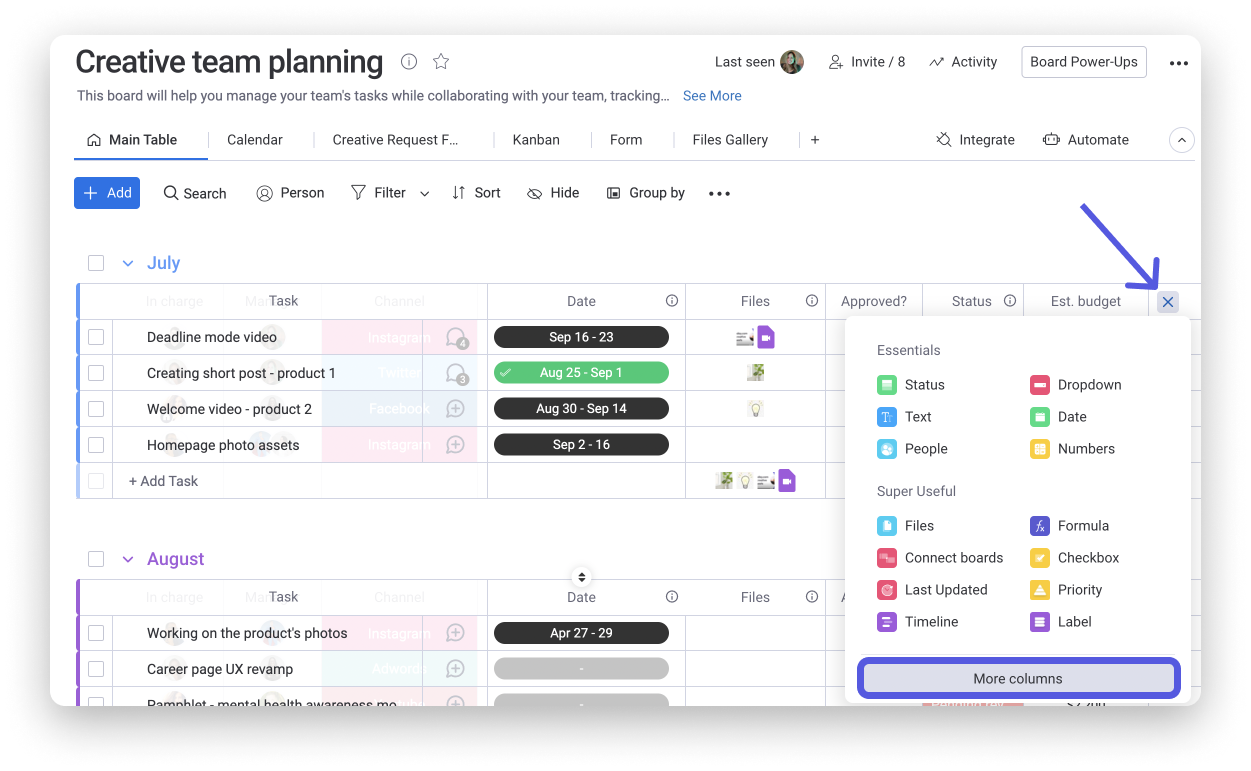
To add the column, click on the + icon located on the top right of your board and select "More columns".
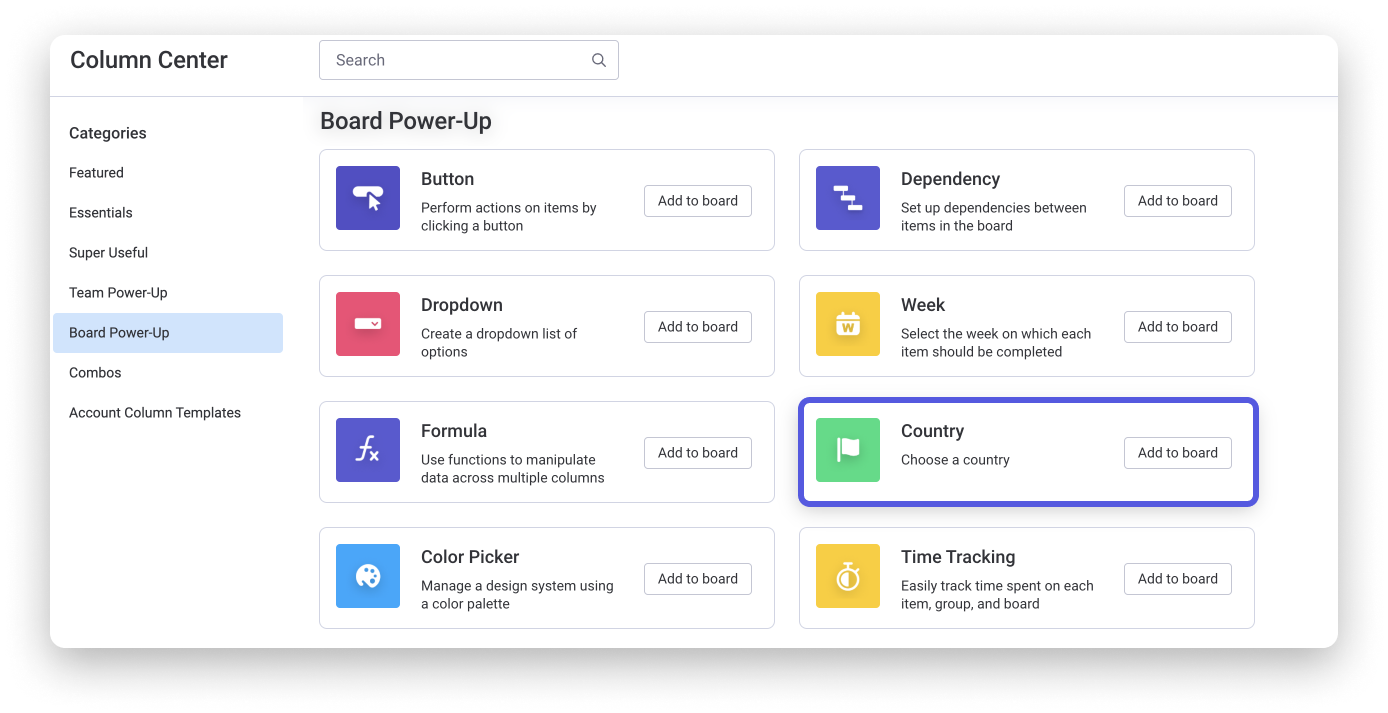
Once in the Column Center, select the option "Country" as in the screenshot below:
Type the name of the country and pick it from the drop-down menu as shown below:
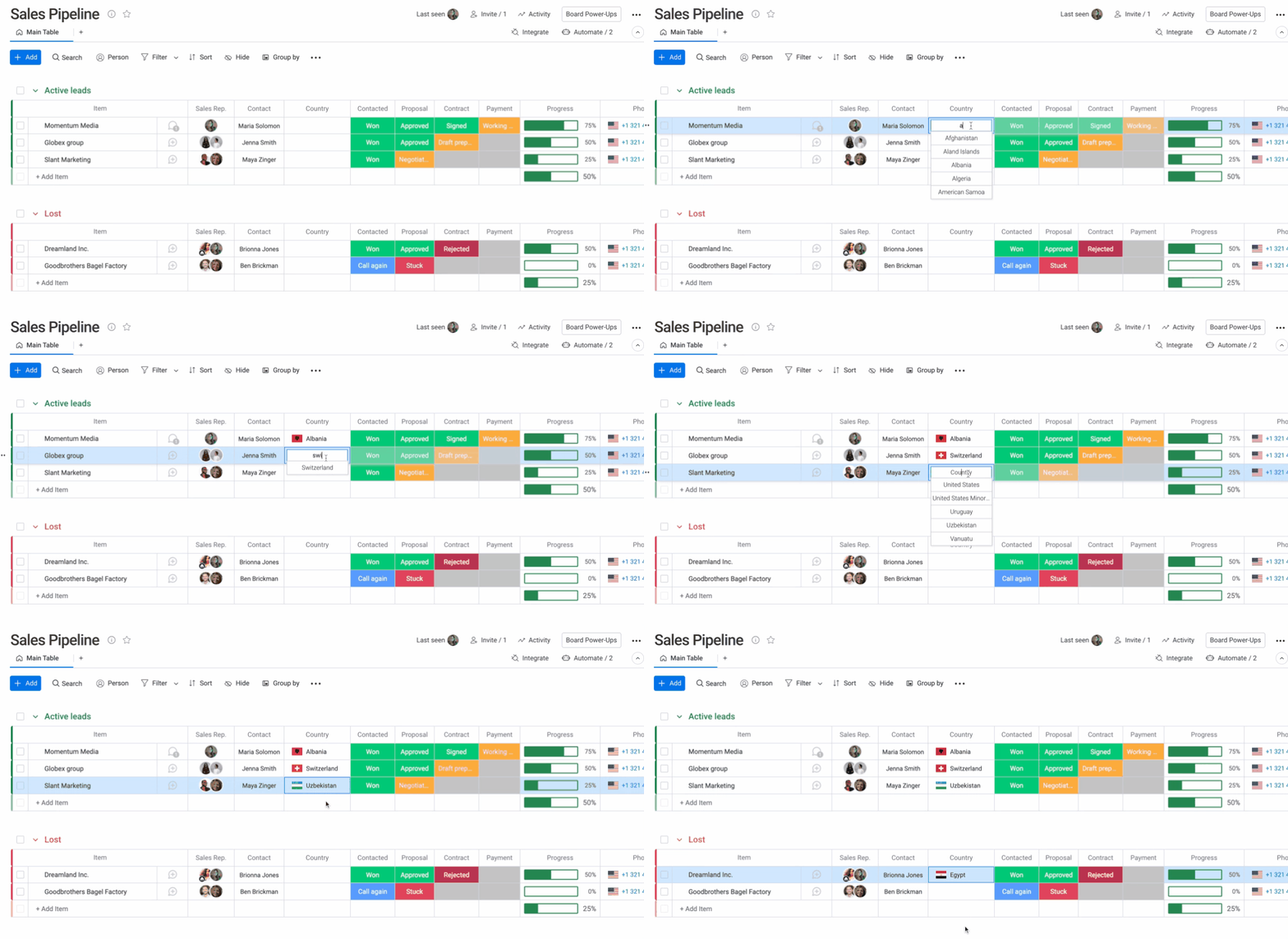
Once done, you will have the name of each country and the flag associated to it. 😊
Last modified on
No comments to display
No comments to display